
Kuku brings together the tools to present a cause, receive contributions, and keep supporters informed. You can start as a donor or as an organizer; a single account can serve both purposes.
If you want to collaborate
- Open the campaign and read what the money will be used for, who is organizing it, and its funds raised modality.
- Check the dates and terms. If there is an associated raffle, review its rules as well and explicitly choose whether you want to enter.
- Click the contribute button, enter the amount, and complete the available options: one-time or recurring contribution, visibility, and tax details, where applicable.
- Follow the payment method steps until you return to the Kuku confirmation page. Keep your transaction reference.
Your account allows you to check your history, recurring collaborations, and the raffles you have entered. If the process asks you to log in, do so before continuing; some actions require an account.
If you want to support a cause
Start by defining the purpose, the beneficiaries, and a clear budget. The project brings together the cause and its management; a campaign is the tool for funds raised, and a raffle adds its own prizes and conditions.
Log in to your account, start creating the campaign, and complete its four steps. Save the draft while you prepare your copy and images. Submitting it for review does not publish it automatically: check your messages afterward and make any requested updates.
Finding your way around your account
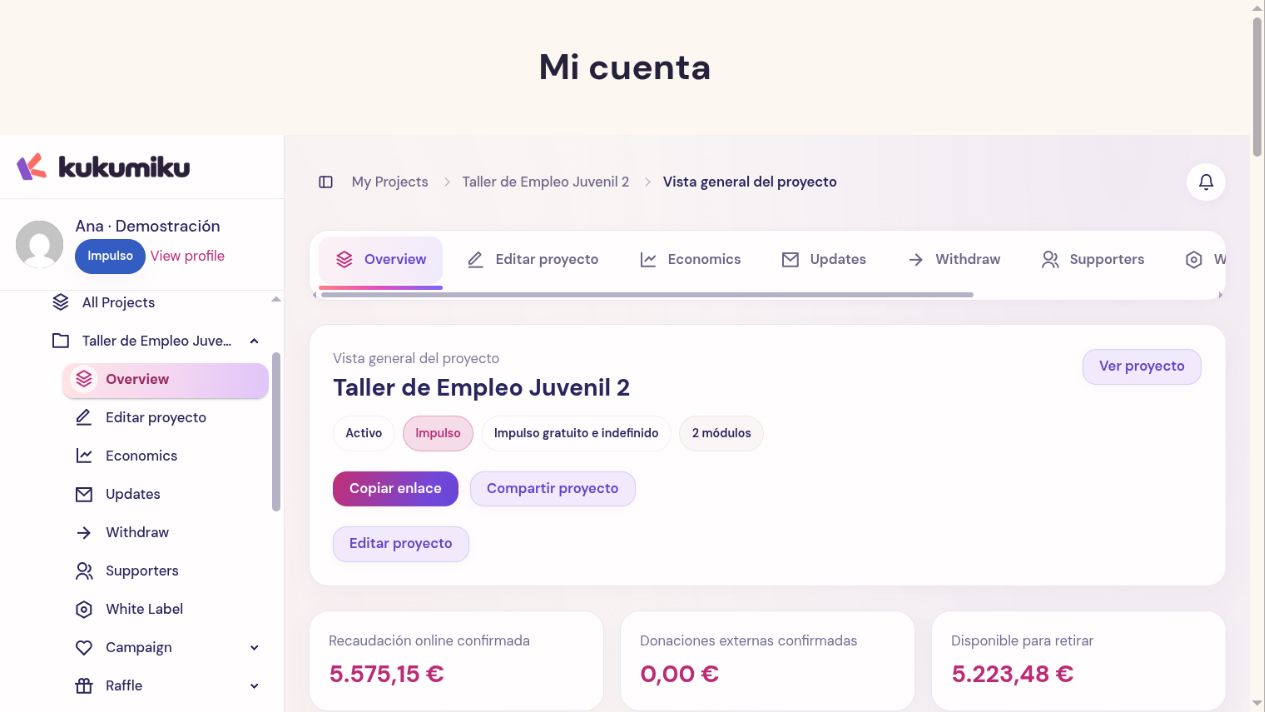
Your personal area separates your activity as a contributor from the projects you manage. Always select the right project or module before editing, checking its finances, or sharing links. Available options may vary depending on the plan and the cause settings.
If you get stuck, let support know the page URL and the step you are on. Do not send passwords or full card details.