
Your profile contains your account information. Messages show communications related to your activity, while preferences control the types of notices you can receive when the platform allows you to configure them.
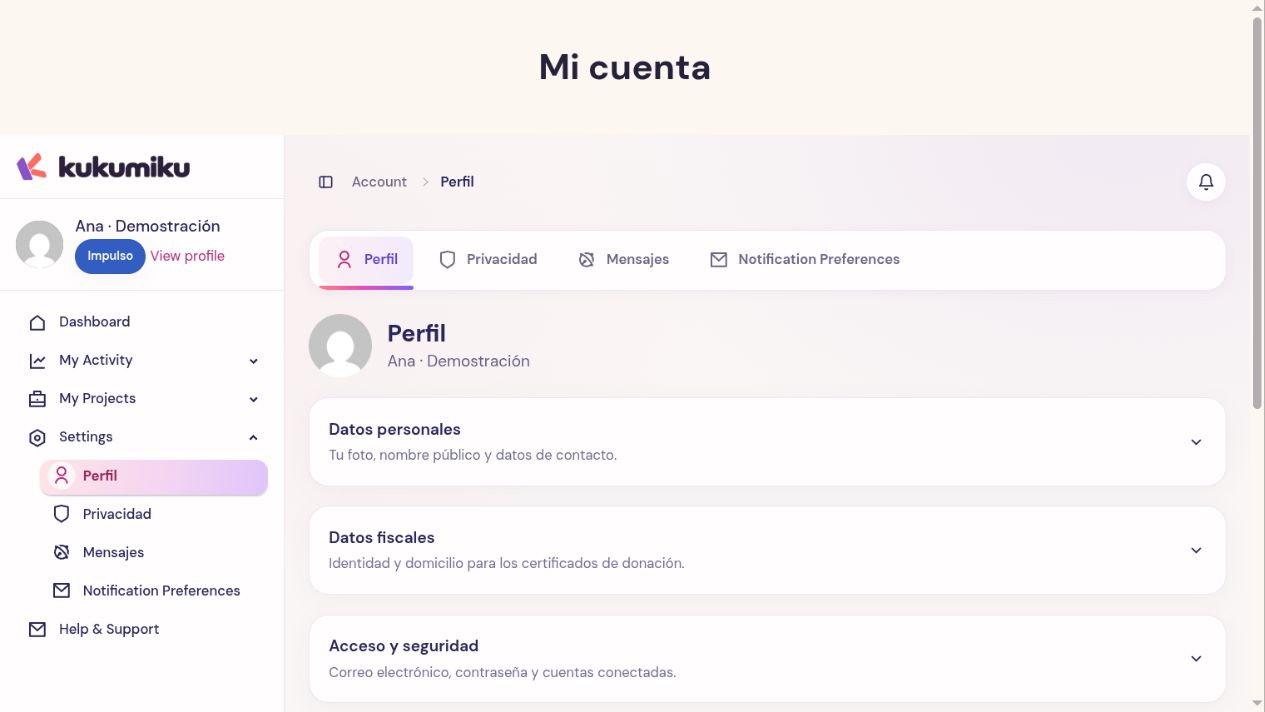
Review your profile
- Log in to your account and open Profile.
- Check your name, public name, email, and any contact information that appears.
- Review whether your profile corresponds to an individual or an organization and complete the applicable fields.
- Save your changes and check the result before leaving.
Use an appropriate public name for the spaces where you choose to display it. Tax information or information required to identify a payment serves a different purpose than public presentation.
View messages
Open Messages and review both new notices and previous threads. A support conversation, a correction request, or a communication regarding a transaction may require a response. Do not consider an issue resolved just because the unread message notice has disappeared.
If you receive a related email, also check the context in your account. Do not share codes or credentials based on messages you cannot identify.
Adjust communications
Review the notifications or preferences section available in your account. Select the available options and save. Changing a commercial preference does not cancel a recurring contribution, a plan, or a pending transaction. Some communications necessary to manage your account or a transaction may still be sent.
Before changing important details
Make sure the new email is accessible and that the organization details are correct. Editing your profile does not mean that previously issued documents are automatically updated: if you need to correct an earlier certificate or invoice, request a review indicating the specific reference.