
An error message, a bank hold, and a confirmed contribution do not necessarily describe the same stage of payment. Start by checking what each party records.
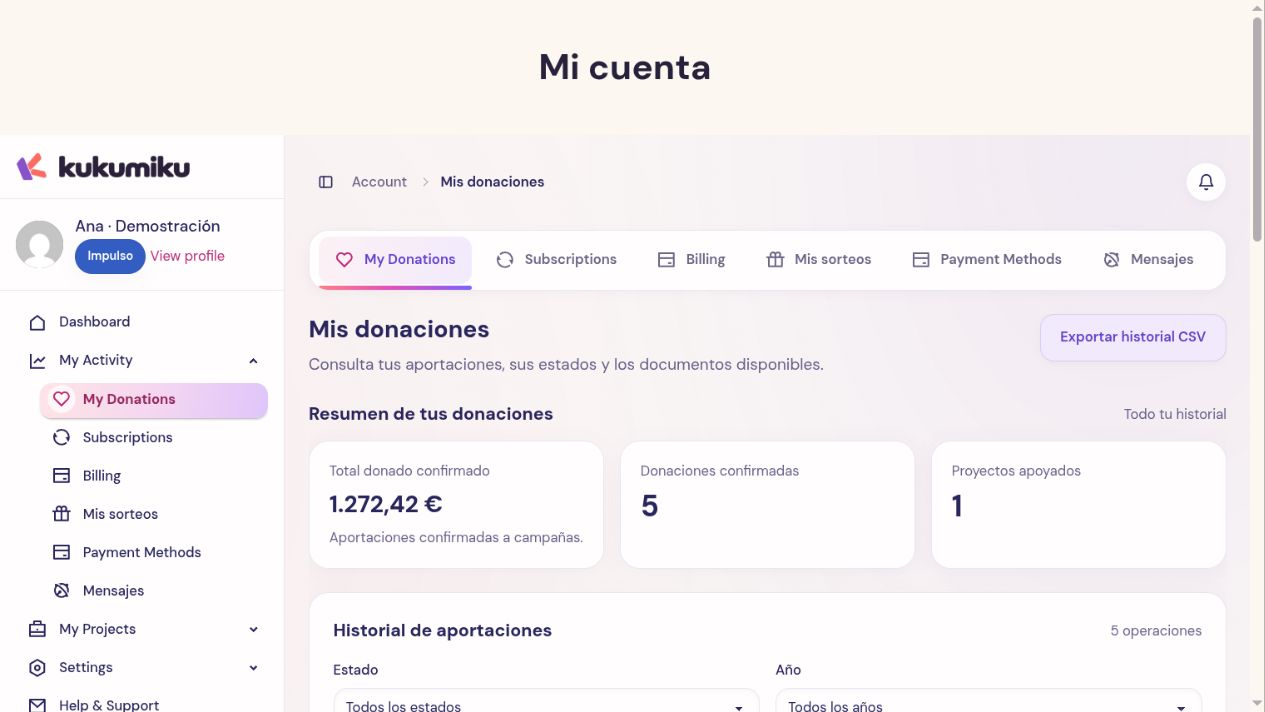
Gathering information
- Log in to the account used to make the contribution and check its history.
- Note the campaign, amount, approximate date, and transaction reference.
- Check whether your bank shows a finalized charge, a pending authorization, or a declined transaction.
- Check if you received instructions that still need to be completed, especially for transfers.
If you have multiple accounts or email addresses, verify which one you used before concluding the contribution does not exist. For a contribution made as a guest, keep the email and reference provided during the process.
Failed payment
If Kuku and the bank indicate that the transaction was not completed, you can try again with a valid payment method. If there is a pending charge or authorization, request a review first. Your bank’s support can clarify why an authentication or card was declined.
Pending payment
A transfer needs to be received and identified. A transaction with external steps may still be waiting for the provider’s response. In All or Nothing, also check whether what was recorded is an authorization conditional on the campaign outcome.
Do not mark a contribution as paid on your own or make a second transfer to resolve a delay without checking first.
Possible duplicate or return
Compare references and amounts. Two bank lines may correspond to different transactions or to an authorization and its settlement; support needs to check the case. Provide the details for both transactions and a receipt with sensitive information obscured.
If you request a return, explain the reason and the specific transaction. The request requires a review and does not in itself guarantee approval or a refund date. Do not share full card details.