
A recurring contribution allows you to support a cause with periodic charges. The campaign must have this option enabled; not all campaigns offer it, and All or Nothing campaigns do not support this form of collaboration.
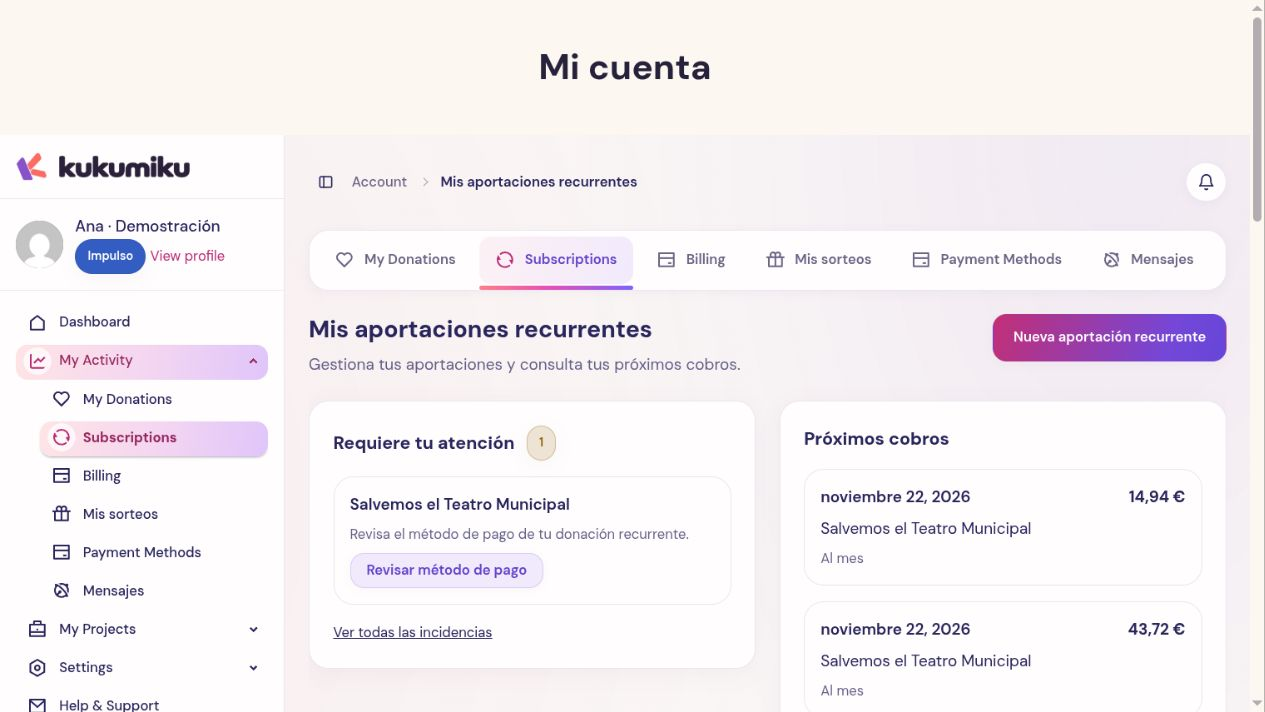
Set up your collaboration
- Open the campaign and start your contribution.
- Choose monthly or annual frequency from the available options.
- Enter the amount and log in to your account when prompted.
- Review the frequency, amount, and terms before authorizing the payment method.
- Complete the provider confirmation and return to Kuku.
A one-time contribution does not become recurring by repeating it manually. Make sure the correct frequency is selected before confirming.
Verify that it is active
Go to My recurring contributions. Find the collaboration and check its status, frequency, amount, and indicated next date. Keep the confirmation of the initial transaction.
Do not calculate the next date solely from the sign-up day: use the one shown on the collaboration. If the process displays a payment error or you cannot find the collaboration, check the outcome before creating another one.
Distinguishing the collaboration from its charges
The collaboration is the instruction to make periodic contributions. Each charge also has its own outcome. A collaboration may require attention even if previous contributions were completed successfully.
From its screen, you can view the available actions to edit, pause, or cancel it. These actions affect future activity and do not automatically refund previous charges.
If you support multiple causes, review each collaboration and its frequency. Purchasing a plan for a project is a different service: modifying a recurring donation does not modify the renewal of that plan.